A complete mail client inside Odoo
Hub Mail works on its own with no AI and no key. Add Hub AI for the assistant and the guard.
Mailboxes and sync
- Each person connects their own Gmail, Google Workspace, iCloud, company IMAP or Microsoft 365* mailboxes.
- Read-only start: nothing on the server changes until you switch on "Allow changes on the mail server".
- Two-way sync of read, flags, moves, archive, junk and delete, with every device kept in step.
- Full history imported newest first, in the background. New mail every 5 minutes, or Sync now.
- Sent mail filed in your server's Sent folder, like any mail app.
Reading
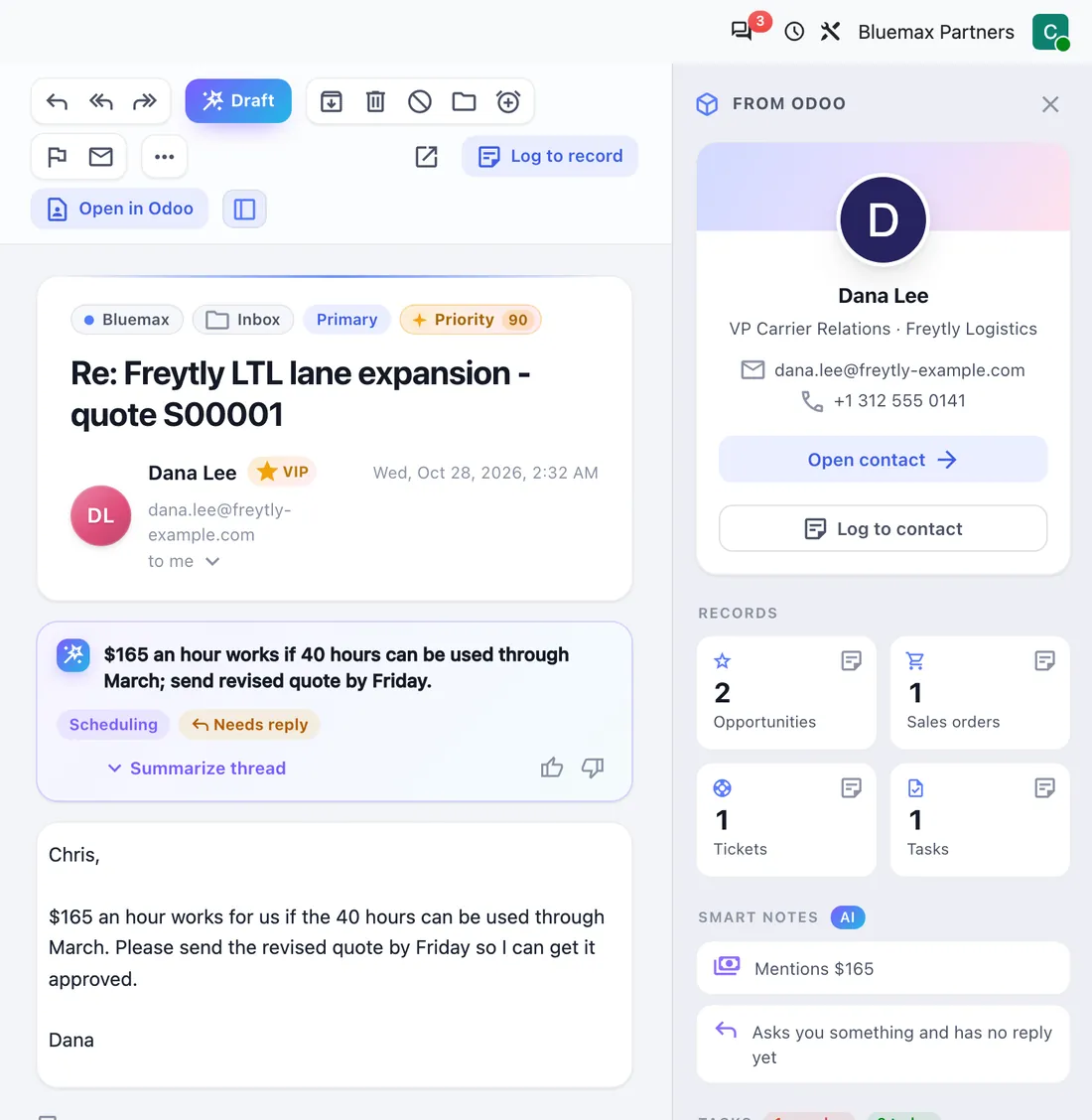
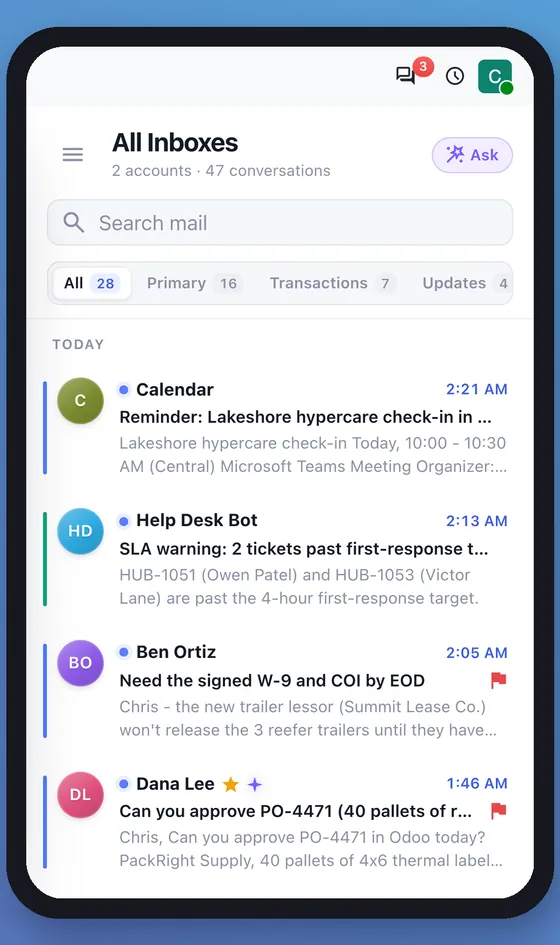
- Three-pane client with smart views, folders per mailbox, category tabs and threaded conversations.
- Search operators: from:, to:, subject:, has:attachment, is:unread, before:, after: and more.
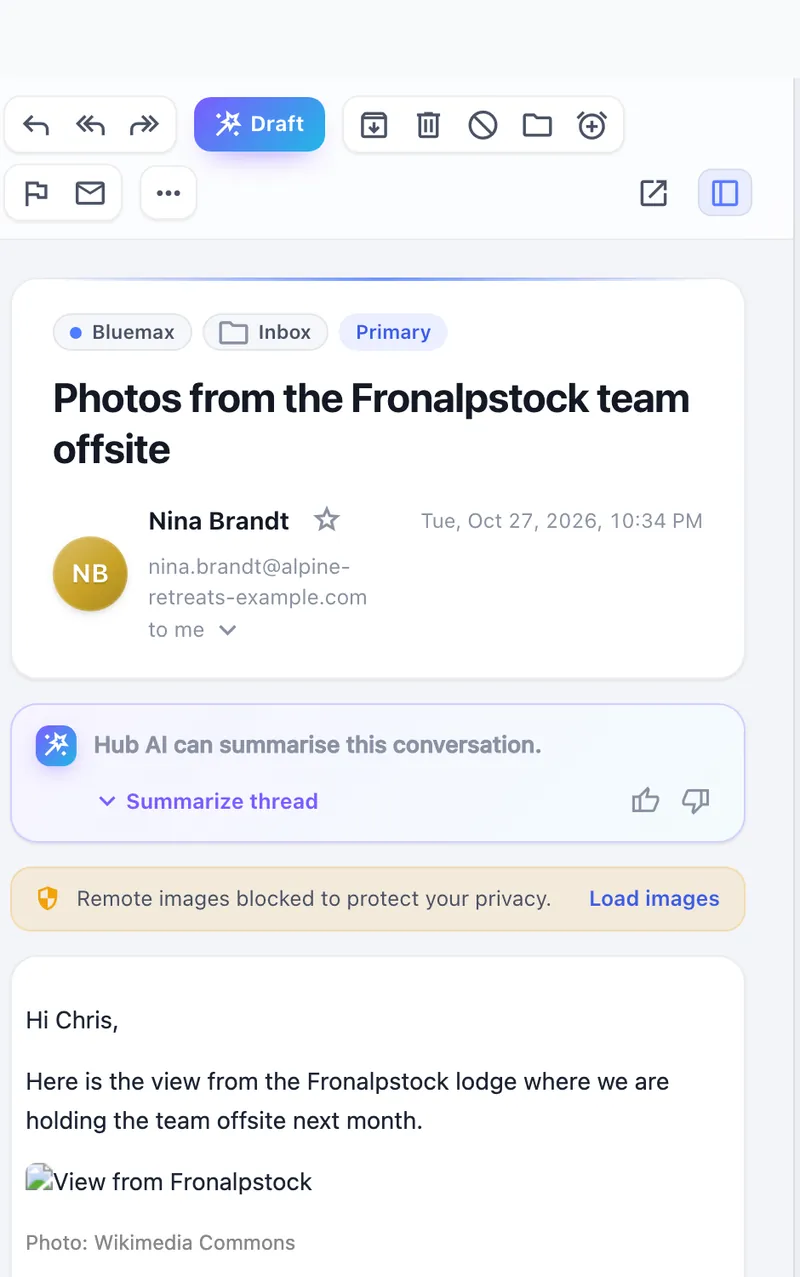
- Sandboxed reader: scripts, forms and frames removed; remote images blocked until you load them through a safe proxy.
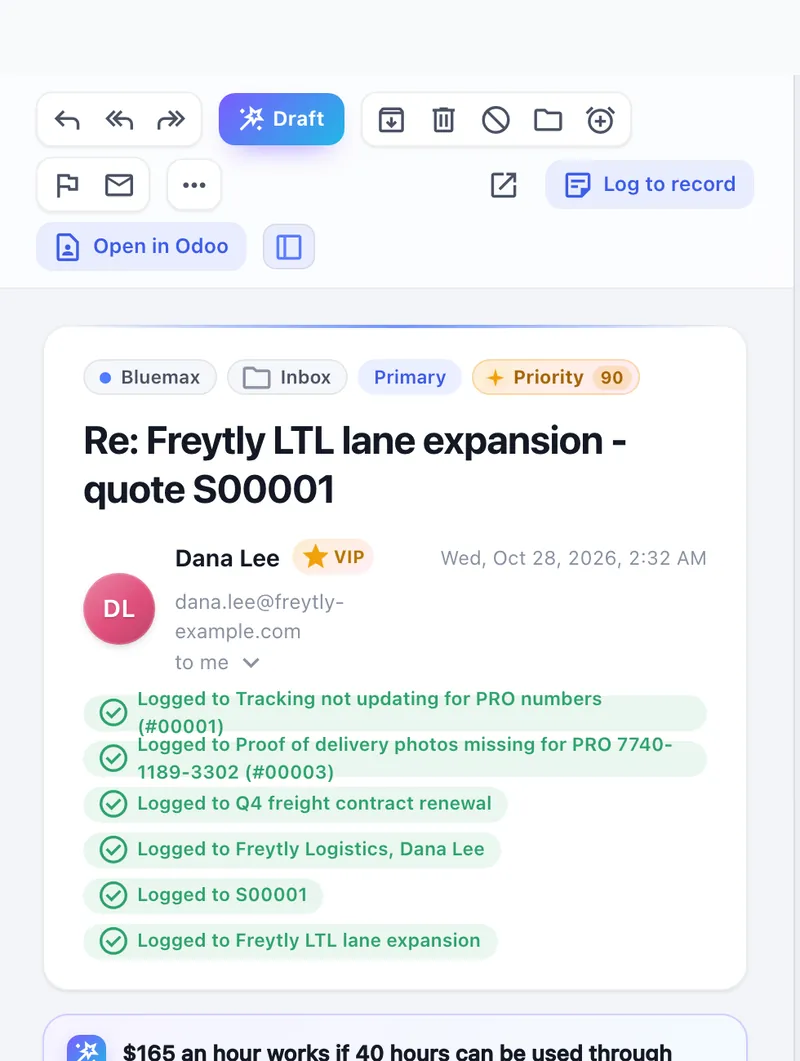
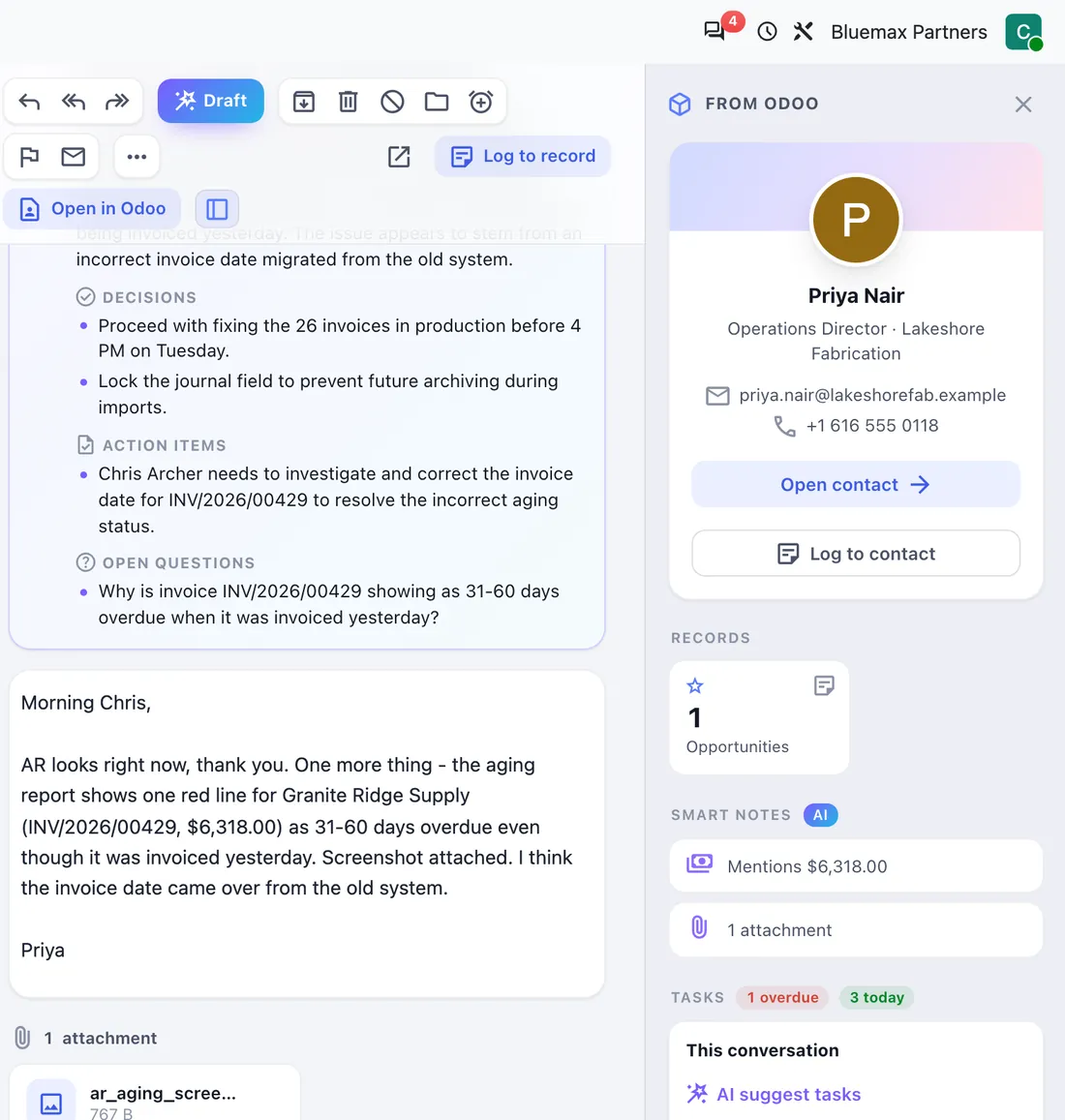
- "From Odoo" panel: the sender's contact, orders, invoices, tasks, purchases and meetings.
- Keyboard shortcuts, pop-out windows, light and dark themes.
Writing and sending
- Reply, reply all and forward with attachments, HTML signatures per mailbox.
- Undo send, send later and a durable outbox that sends each message exactly once.
- Each mailbox sends through its own server. Odoo's outgoing mail server is never used.
Organising
- Rules on sender, recipients, subject, body, list or attachment: move, archive, delete, junk, flag, categorise, VIP.
- Rules run only on new mail and never twice on the same message.
- Private VIP list with a VIP view and a priority boost. One-click unsubscribe.
- Import Apple Mail rules and VIPs.
Meetings and calendar
- Invitation cards with time, recurrence, attendees, conflicts and Teams, Zoom, Meet or Webex links.
- Accept, Maybe or Decline: the organizer gets a standard reply and the meeting lands in Odoo Calendar.
Hub Tasks add-on
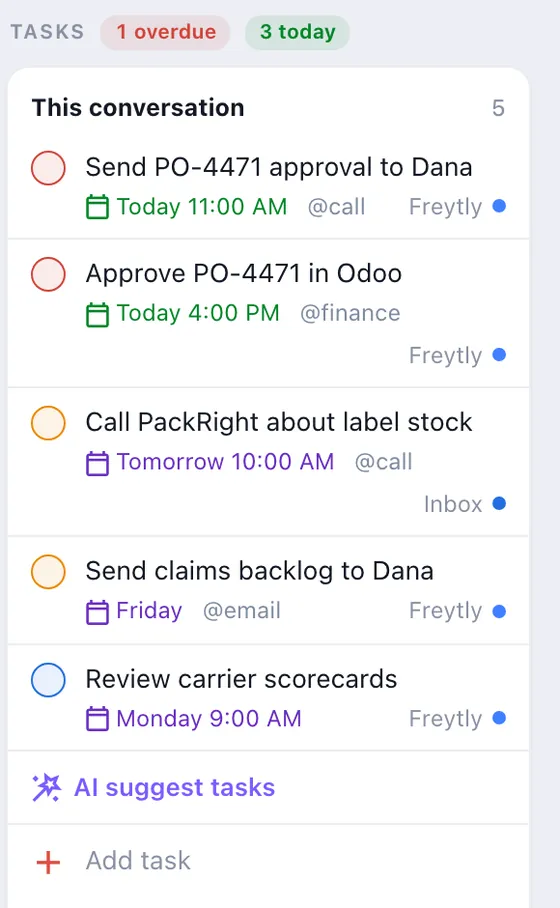
- Turn an email into a task in one click, with the email's own deadline.
- Tasks card on every email; works with Odoo To-Do and Project.
- Import from Todoist.
An assistant that reads everything and touches nothing
Hosted by Bluemax. No API keys to manage. If AI is off or unreachable, Hub Mail keeps working on its rule-based sorting.
AI priority
A 0 to 100 score with the reasons, for a Priority view that puts what matters first.
Drafts in your voice
Reply, reply all or a follow-up nudge in your tone and length. Nothing is sent automatically.
Summaries
Long threads in a few lines: decisions, open questions and action items.
Tasks and follow-ups
Suggested tasks from emails, and reminders for sent mail nobody answered.
Morning brief
Top priorities, today's meetings, tasks due and watch-outs, at your local time. Optionally spoken.
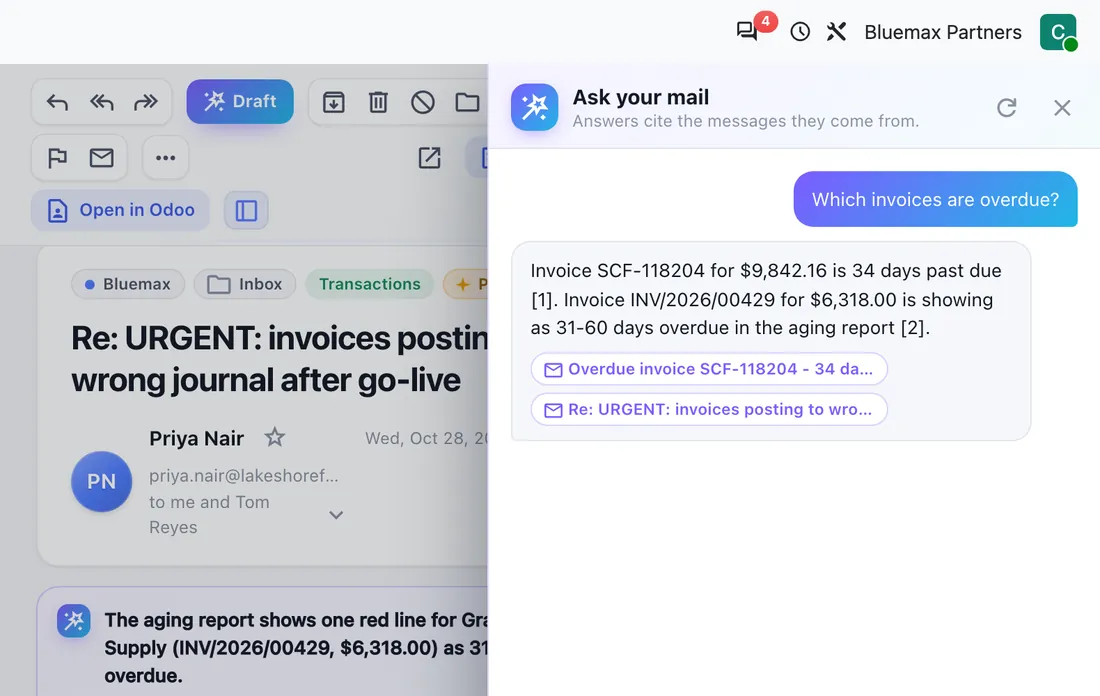
Ask your mail
"When did Acme last confirm the delivery date?" Answered from your own mail, with links to the messages.
How the guard keeps the AI on your side
Prompt injection is when an email carries instructions for an AI. An assistant that can send, move or pay can be talked into doing it. Hub AI is built so it can't.
- No actions. The agents never send, delete, move, archive, unsubscribe, answer invitations or pay. People do.
- Untrusted by default. Every email goes to the model inside a fenced block it is told never to obey. The agent that reads new mail has no tools at all.
- Hidden text removed. White or tiny text and invisible or bidirectional characters are stripped before the model sees the message.
- Answers checked. Links, addresses, secrets and instruction-like text in the AI's output are checked before anything is stored or shown.
- Learning with your approval. What the AI learns about you is a proposal until you approve it.
- Phishing warnings. Lookalike domains, payment-detail changes and urgent money requests are flagged on arrival.
Security and privacy
- Owner-only access to every mailbox, message, rule and VIP, administrators included.
- Passwords encrypted with a key outside the database; a backup alone can't reveal them.
- Certificates and host names always verified.
- Staging copies of your database switch sync and sending off automatically.
Requirements
- Odoo 20.0 or 19.0, Community or Enterprise. No Odoo AI credits, no Enterprise AI app.
- Outbound IMAP (993) and SMTP (465/587) from your Odoo server.
- Odoo.sh, your own server or BlueMax Cloud.
* Microsoft 365 works where the tenant allows password sign-in for IMAP/SMTP. Microsoft modern sign-in (OAuth) is on the roadmap. Shared mailboxes are coming soon.
See your own inbox inside Odoo
A 30-minute live demo with a real person. Bring your questions.